

PrivateInternetAccess SOCKS Proxy Tutorial – Software Installation
In this article we are going to run through the Debian, OpenVPN and Squid proxy software installation. In this tutorial we are installing it on a virtual machine in an ESXi environment but it can obviously be installed on any PC, virtual or otherwise. We are using a dual-core CPU with 2GB of RAM which is more than enough for a light-user proxy.
Let’s get started!
1. Download the netinstall iso, burn it to CD/DVD if necessary and boot. Run through the install and make sure to specify your static IP. You only need a minimal installation, no desktop manager so select the options as shown:
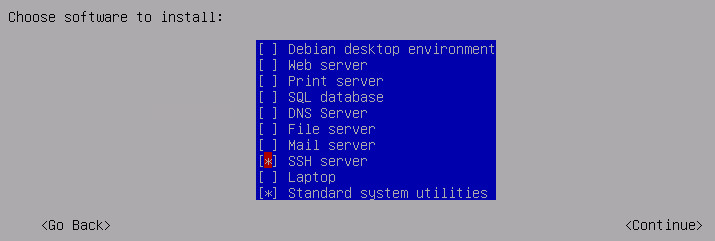
2. Once installed and logged in, update the apt repositories with apt-get update:
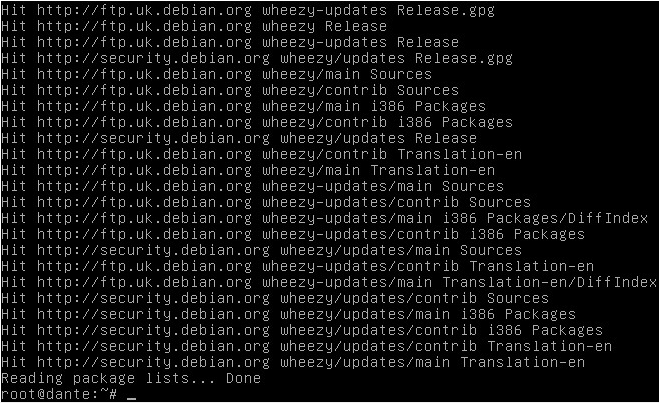
3. Install the OpenVPN software:
- apt-get install openvpn
4. Install the dante software software:
- apt-get install dante-server
Now we’re all installed, it’s time for the configuration.
Hello,
Where is the configuration part please.
Thanks for the tutorials, I need the configurations part.
Jili games here are hitting differently. The graphics are crisp and the jackpots are real. phbossjili is my new favorite spot.
Quick deposits and even quicker withdrawals. That is all I really care about and they nail it. I am sticking with jilicashslotlogin from now on.
Super impressed with the bonus offers here. It really gives new players a great head start. I am spending a lot of my free time on daka88bet these days.